Tenant to Tenant Migration: Complete Microsoft 365 Guide
Businesses often change their Microsoft 365 infrastructure as they grow. Mergers, acquisitions, company restructuring, domain changes, and tenant consolidation can create a requirement to move business information from one Microsoft 365 environment to another. This process is known as tenant to tenant migration.
Moving data between two independent tenants requires careful preparation because each tenant has its own users, domains, mailboxes, permissions, and security configuration. A properly planned migration helps organizations move important data while reducing downtime and administrative effort.
What is Tenant to Tenant Migration?
A Microsoft 365 tenant is a dedicated cloud environment that contains an organization's users and services. It can include Exchange Online, OneDrive, SharePoint, Teams, and other Microsoft 365 resources.
Microsoft tenant to tenant migration involves transferring supported data from a source tenant to a destination tenant. Depending on business requirements, an organization may migrate only Exchange Online mailboxes or move several Microsoft 365 workloads.
Common reasons for performing a migration include:
- Company mergers and acquisitions
- Business restructuring
- Tenant consolidation
- Domain changes
- Separation of business units
- Migration to a new Microsoft 365 environment
Why Businesses Need Office 365 Tenant to Tenant Migration
Managing multiple Microsoft 365 tenants can increase administrative complexity. Users may be distributed across different environments, making collaboration, security management, and centralized administration more difficult.
An Office 365 tenant to tenant migration can help businesses bring users and their information into a centralized environment.
For example, after a corporate acquisition, the acquired company's mailboxes may remain in a separate Microsoft 365 tenant. Moving these mailboxes into the parent organization's environment can simplify administration and provide users with a unified platform.
What Data Can Be Migrated?
The migration scope depends on the requirements of the organization.
Exchange Online Mailboxes: Email is one of the most important workloads in a migration project. Tenant to tenant mailbox migration can involve emails, attachments, contacts, calendars, tasks, notes, and other supported mailbox information. Maintaining folder hierarchy is important because users should be able to access their historical communication in a familiar structure.
OneDrive Files: OneDrive contains documents and other files created or stored by individual users. These files may need to be transferred to corresponding accounts in the destination environment.
SharePoint Content: Organizations using SharePoint can have large amounts of business information stored in sites and document libraries. Migration planning should account for the required SharePoint content and access configuration.
User Accounts: Source users must be mapped to their destination accounts. Accurate mapping helps ensure that migrated information reaches the correct users.
Common Challenges in Microsoft 365 Cross Tenant Migration
Performing Microsoft 365 cross tenant migration can involve several technical challenges.
User Mapping: The source and destination tenants use separate identities. Incorrect mapping can cause migration failures or place data in the wrong account.
Large Mailboxes: Large mailboxes containing years of emails and attachments can take considerable time to transfer.
Domain Configuration: Domains may need to be moved between environments as part of the migration. Proper planning can help reduce disruption to email services.
Data Integrity: Organizations need to maintain important mailbox properties, attachments, folder structures, and other supported metadata.
Downtime: Email is essential to daily business communication. Migration activities should therefore be scheduled carefully to minimize disruption.
MailsDaddy Office 365 Tenant to Tenant Migration Solution
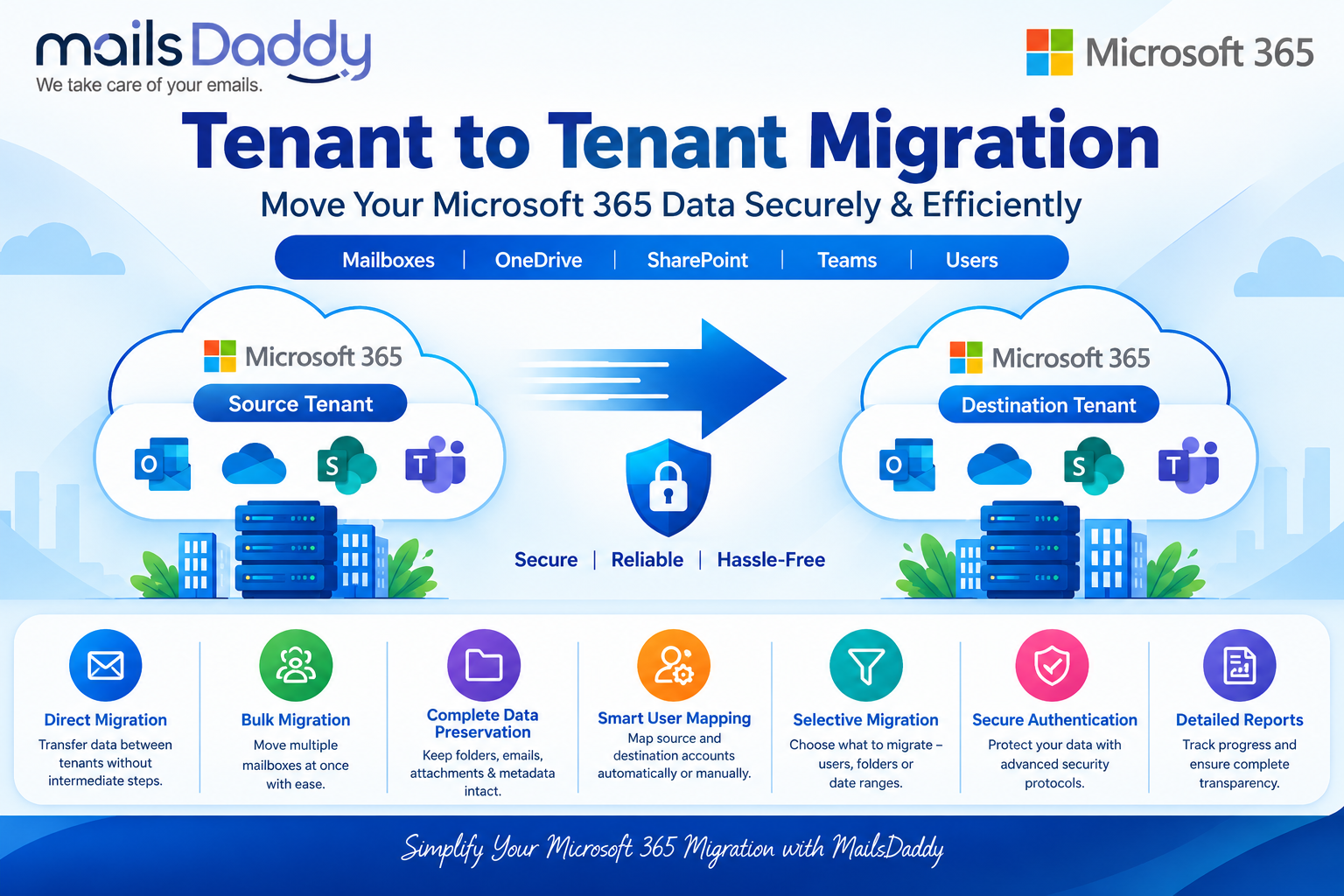
The MailsDaddy Office 365 Tenant to Tenant Migration Solution provides an organized approach for businesses that need to perform cross-tenant migration. The solution is designed to simplify complex migration projects and reduce the amount of manual work required from administrators.
Direct Tenant-to-Tenant Migration: The solution facilitates direct transfer between source and destination Microsoft 365 environments, reducing dependency on intermediate PST files.
Bulk Mailbox Migration: Organizations with many users can process multiple mailboxes as part of a migration project instead of handling each mailbox individually.
Smart User Mapping: User mapping is an important stage when businesses need to migrate one to another tenant in Microsoft 365. MailsDaddy provides mapping capabilities to associate source users with the correct destination accounts.
Selective Migration: Administrators can control which users and supported data should be included in the migration. This provides flexibility for phased or department-based migration projects.
Mailbox Data Preservation: The solution is designed to preserve important mailbox information, including emails, attachments, folders, and supported metadata during the migration process.
Secure Authentication: Secure authentication helps establish controlled access between the source and destination Microsoft 365 environments.
Migration Monitoring: Migration reports help administrators monitor project progress and review migration results after processing.
Best Practices for a Successful Migration
A successful migration starts with proper preparation. Administrators should:
- Analyze both Microsoft 365 environments before migration.
- Identify all users and required workloads.
- Verify administrator permissions.
- Test the migration with a small user group.
- Create backups of critical information.
- Schedule major migration activities during low-usage periods.
- Monitor migration reports.
- Verify destination data after migration.
A pilot migration can help identify configuration problems before the complete migration begins.
Conclusion
Tenant to tenant migration is an important process for organizations that need to move users and business information between independent Microsoft 365 environments. Whether the requirement comes from a merger, acquisition, restructuring, or tenant consolidation, proper planning is essential.
The MailsDaddy Office 365 Tenant to Tenant Migration Solution provides features designed to simplify Office 365 cross tenant migration, including direct migration, bulk mailbox processing, user mapping, selective migration, secure authentication, and migration monitoring.
With a structured migration strategy and an appropriate migration solution, organizations can migrate one to another tenant in Microsoft 365 more efficiently while reducing manual effort and maintaining access to essential business information.
About the author
MailsDaddy Software is a high-quality software development company that produces best-in-class email migration, data recovery, and cloud backup tools. The company has been successful in providing a safe result to the user worldwide for 10 years. Any user is able to use the software without any technical assistance. Also we provide free version to get familiar with the software services.
Comments
Join the discussionNo comments yet. Be the first to comment.